How Gold Coast Businesses Can Use NFC Tap Cards and QR Stands to Capture On-the-Spot Reviews
Practical, local advice for showrooms, clinics and shopfronts on where to place NFC tap cards and QR stands, what to say, and when to ask so you capture more instant 5‑star Google reviews across the Gold Coast.

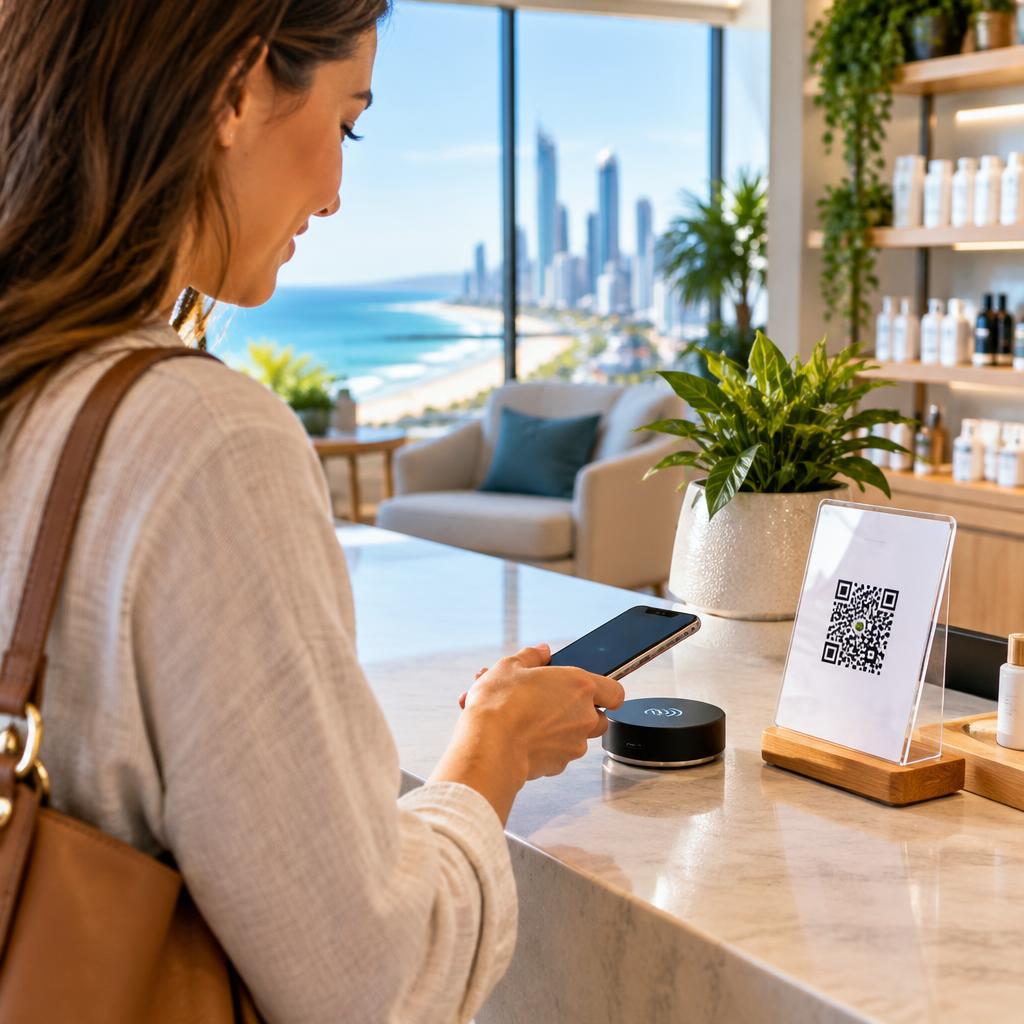
Why on‑the‑spot reviews matter for Gold Coast businesses
Immediate, in‑person review capture turns momentum from a positive customer interaction into a public 5‑star endorsement. For local businesses across Surfers Paradise and the broader Gold Coast, more timely reviews improve Google Maps visibility and help AI search agents surface your business to people searching nearby. Using NFC tap cards and QR stands makes it simple for customers to leave a review before they walk away—no later follow‑up required.
High‑impact places to put NFC tap cards
NFC cards work best where people naturally pause and can tap their phone. Place them at payment counters, reception desks, service check‑out points, and near POS terminals. In showrooms, keep a card on the sales desk and next to featured displays; in clinics place cards at reception and on the exit counter; in shopfronts position one near the door or beside impulse displays. Make sure cards are at a convenient height (hand level) and clearly marked so customers don’t need staff help to find them.
Where to locate QR stands for best results
QR stands should be visible at eye level and near areas where customers linger: waiting areas, fitting rooms, consultation tables, and beside product demo stations. Use a freestanding QR on counters or a small desktop sign by the till. For outdoor shopfronts, a weatherproof QR stand near the entrance can catch customers as they leave. Keep the QR graphic large enough to scan quickly—avoid tiny codes that require fiddly aiming.
How to present cards and stands so customers tap or scan instantly
Design and wording matter. Use a short headline like “Loved your visit? Tap here to leave a Google review” with a five‑star visual. Include a one‑line instruction and an arrow for NFC cards, e.g. “Tap your phone here — takes 30 seconds.” For QR stands, show a brief call to action plus the Google icon so customers know it’s a review link. Keep branding consistent with your business and make the device feel like a normal part of the experience, not a hard sell.
Simple scripts staff can use — timed for the right moment
Timing and tone are key. Use brief, friendly language after a positive interaction: • At payment: “If you enjoyed that, could you tap this card and leave us a quick Google review? It only takes a moment.” • After a service or treatment: “We’d love your feedback — our card lets you leave a review on the spot.” • If someone compliments the service: “Thank you — would you mind tapping this to share that on Google?” These short asks respect the customer’s time and make the action obvious.
Handling feedback that isn’t ready for a public review
Not every interaction should end with a public review request. If a customer raises a concern, use your in‑store feedback funnel first: acknowledge the issue, offer a quick resolution, and ask if you can follow up privately. Quick Suite’s smart feedback funnels and negative‑review filtering let you capture critical feedback without sending it straight to your public profile, so you can resolve problems before asking for a public rating.
Make it part of your routine and measure what works
Train staff to make the review ask a natural final step in the transaction flow and rotate card/stand placements if scan rates are low. Track which locations and scripts get the most responses and adjust signage or phrasing. Many customers praise Quick Suite for its automation and behind‑the‑scenes AI that helps manage and reply to feedback, so pairing in‑person capture with automated follow‑ups will amplify results across the Gold Coast.
Quick checklist and next steps
Checklist: visible NFC cards at counters, eye‑level QR stands in waiting/dwell areas, short staff scripts for the perfect ask, an in‑store feedback path for problems, and analytics to measure performance. If you’d like help deploying contactless NFC tap cards or QR smart stands and tying them to automated follow‑ups and local SEO, our team in Surfers Paradise can advise practical setups tailored to showrooms, clinics and shopfronts across the Gold Coast. Learn more at https://www.google.com/preferences/source?q=quicksuite.com.au
Customer review


Article by
Quick Suite | Reputation Software
Quick Suite is Australia’s leading reputation management and local search engine optimization (SEO) software platform. Headquartered in Surfers Paradise, we help local businesses across the Gold Coast, Brisbane, and nationwide capture 5-star Google reviews, automate customer feedback, and dominate local search rankings. Our AI-powered platform combines automated review requests (SMS & Email), smart feedback funnels, contactless NFC Tap-to-Review cards, and Generative Engine Optimization (GEO). Scale your online reputation, stream positive reviews straight to your profile, and turn local search visibility into consistent customer growth. Contact our Surfers Paradise team today.